Lately, there has been quite a lot of talk about inter-connectivity of various web-based GISs. The quickest way to share is to ensure your web server is sharing data with WMS or WFS.
Unfortunately most organizations do not do this.
So I wanted to consume ArcGIS Server Rest services within Autodesk Infrastructure Map Server 2016 (aka MapGuide). There is no FDO Provider for ArcGIS Rest (not yet anyway – great wishlist item!)
Using the default Sheboygan map data that comes with AIMS/MapGuide I figured I would drop the Soil Map from ArcGIS Online.
http://server.arcgisonline.com/arcgis/rest/services/Specialty/Soil_Survey_Map/MapServer
First, we will use the Flexible Web Layout (Fusion) version of AIMS/MapGuide because it uses OpenLayers 2.13
I will use the SLATE template, so first I have to add ArcGIS Rest functionality to OpenLayers.
You will have to download the arcgisrest.js file and copy it to your folder:
C:\Program Files\Autodesk\Autodesk Infrastructure Web Server Extension 2016\www\fusion\templates\mapguide\slate\
(I am using SLATE for this demo)
In the index.html file in the slate folder, add the following line to attach the arcgisrest.js you downloaded.
< script type="text/javascript" src="arcgisrest.js"></script>
Next we will create a js file called mc_arcgisrest.js that we will attach to the index.html page too.
< script type="text/javascript" src="mg_arcgisrest.js"></script>
The following code will give us a function that will toggle the layer from arcgis server on and off in the current layout:
var loadTimer;
var esriMapService;
var arcrestIsOn=false;
function showArcRestData(arcgisRestURL)
{
var watch = function() {
try {
var mapWidgetId = ‘Map’;
var mapWidget = Fusion.getWidgetById(mapWidgetId);
if (mapWidget && mapWidget.isMapLoaded() && mapWidget.isBusy() == false)
{
clearInterval(loadTimer);
var OL=OpenLayers;
if(arcrestIsOn == false)
{
esriMapService = new OL.Layer.ArcGIS93Rest(“ArcGIS Dynamic MapService”, arcgisRestURL + “/export”, {
transparent:true,
isBaseLayer:false,
srs: “EPSG:3857”,
BBOXSR: “3857”,
IMAGESR: “3857”
});
mapWidget.oMapOL.projection=new OL.Projection(“EPSG:3857”);
mapWidget.oMapOL.displayProjection=new OL.Projection(“EPSG:3857”);
mapWidget.oMapOL.addLayers([esriMapService]);
arcrestIsOn=true;
}
else
{
mapWidget.oMapOL.removeLayer(esriMapService);
arcrestIsOn=false;
}
}
}
catch(e) {
alert(e);
}
};
loadTimer = setInterval(watch, 500);
}
So now you have two js files you add to your index.html page in the SLATE template (I usually put them under the fusionSF.js link:
< script type="text/javascript" src="../../../lib/fusionSF.js"></script>
< script type="text/javascript" src="arcgisrest.js"></script>
< script type="text/javascript" src="mg_arcgisrest.js"></script>
Finally, add a button in your menubar in Autodesk Infrastructure Studio. I am using the existing Slate Flexible Layout at: Library://Samples/Sheboygan/FlexibleLayouts/Slate.ApplicationDefinition
In the Toolbar (Main Menu) create a new Invoke Script.
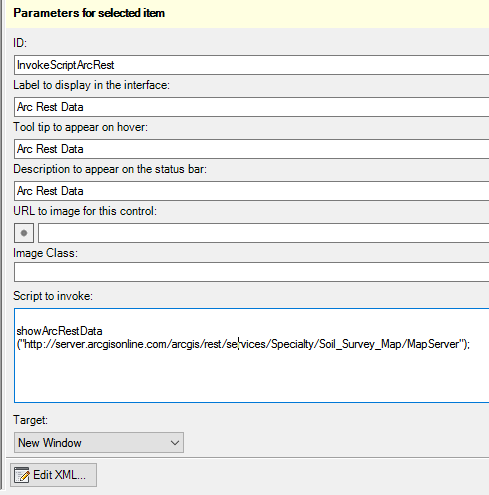
Notice the script calls:
showArcRestData("http://server.arcgisonline.com/arcgis/rest/services/Specialty/Soil_Survey_Map/MapServer");
Once you add that, click “View In Browser” and try the button.
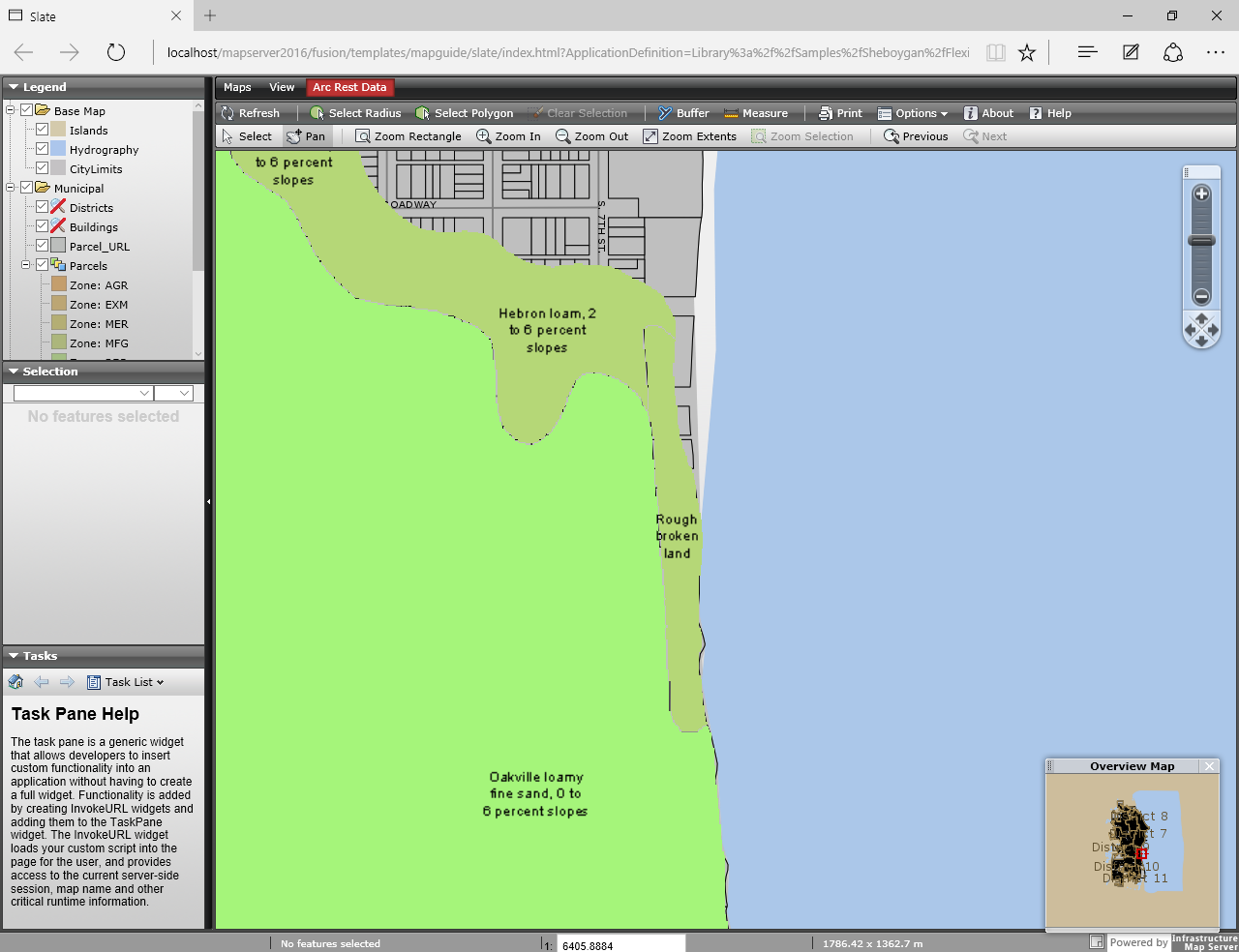
Now you can add any MapServer Rest Service to your MapGuide/AIMS map.
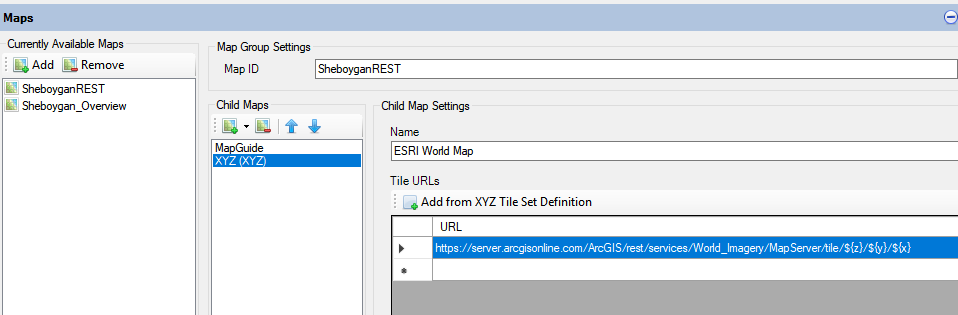
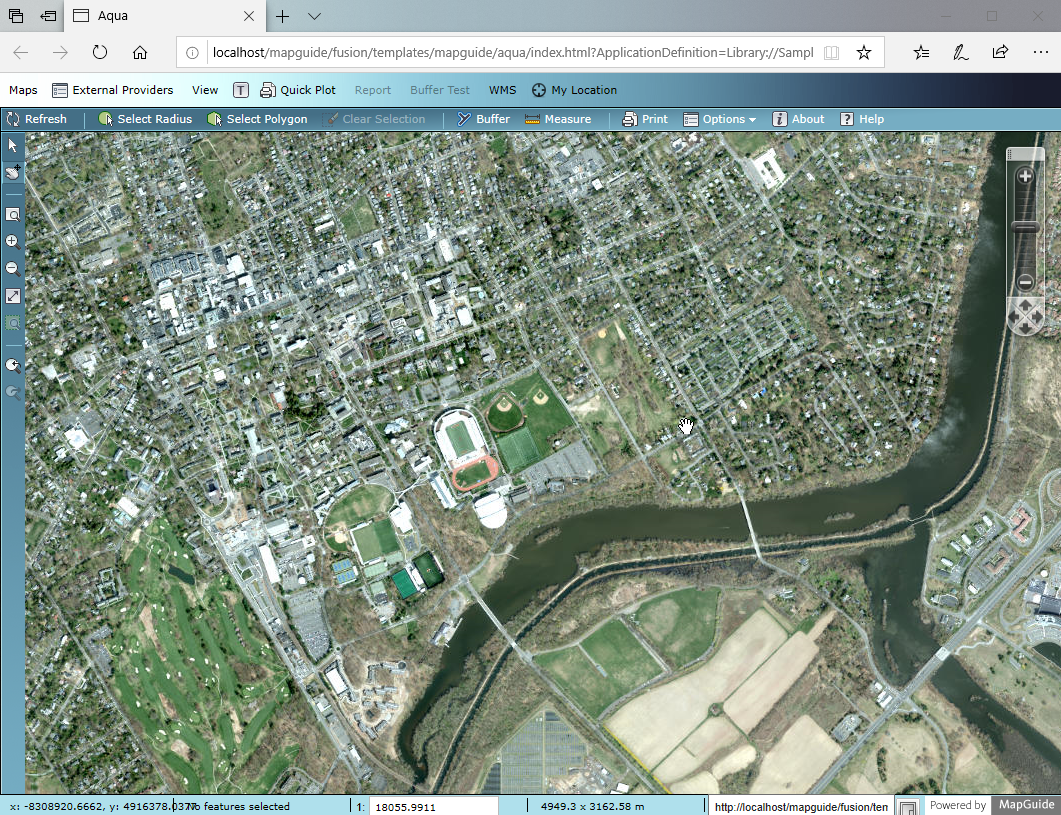




 There Be Dragons - Uncharted Internet Mapping